Z War Hive and Territory Manager
- 01 Apr, 2026
Z War Alliance Management Tool
The Z-War tool is designed to make running a Dark War Survival Alliance easier to manage. If you’ve served as an R5 or R4 running a busy, active alliance, you’ll know how time-consuming it can be. This tool will make that easier.
Please NOTE - this is a BETA release, and has some known and probably some unknown bugs! I’m a hobby coder and blogger, so please be patient, feel free to comment and give feedback on the Discord channel. Im actively working to tidy up things, improve the phone interface and make things easier to use.
Heres the link to the tool - Z-War Alliance Tool
Functions
Inside the tool is a Hive Manager, Territory Manager, Event Management and Scheduling. These are supported by Discord bots and custom reports to post into the game or your own Discord channel without the bots.
During testing, a lot of questions about data came up. The tool doesn’t require emails, passwords, or player IDs, so no sensitive data is at risk, a very deliberate decision. This changes how some features work. Your local saves are your responsibility, as long as you don’t add emails, player IDs or anything you wouldn’t post publicly to the import files, it’s all good. Cloud saves use end-to-end encryption and generate your own access codes; make sure you save those. If you code expires or you lose it, snapshots are deleted after 7 days. Simply save another copy for a new code.
Getting Started
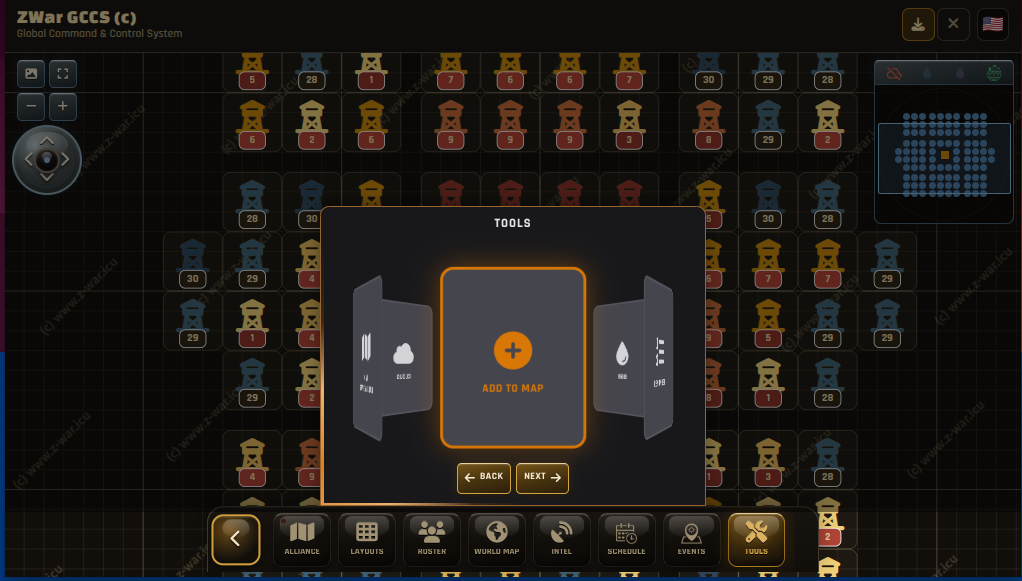
There is a brief intro on the first run to explain the functions and the order to work in to get the most out of the tool. The key to this is having your roster of players. You can add them manually, through Tools - Add-to-Map
This will open a menu to add players one by one - which, in a large alliance, will get tedious for sure. The best option is to make your own CSV (comma-separated variable file) with Player Name, CP, Level (1-30, i1 to i10) and import that quickly. Even better than this is a Google Sheets direct import - just paste the link. If you make a Google Sheets doc, get your players to input there own info - this means much less work for you. If your members aren’t that engaged, then the entries can be completed across the team of R4/R5s. The result is to have a list that’s quick to import.
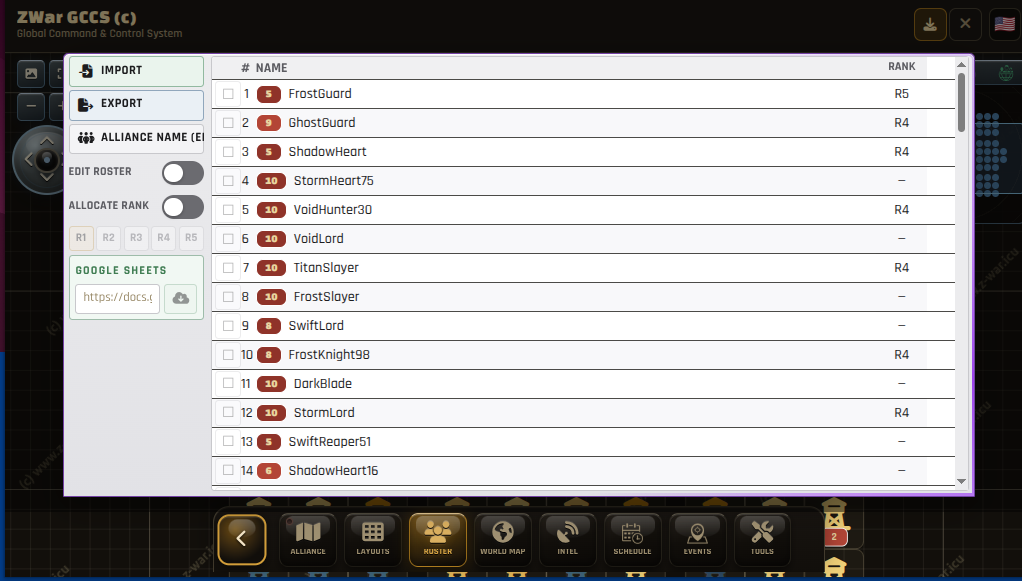
The above list is a sample file uploaded; if your name is there, it’s an AI fluke! You can see the options to add a Google Sheets link, and also the import and export functions - these are for CSV and JSON files. There is some “intelligence” built into the importing tools, but if you have suggestions, join the Discord and make a suggestion Z-War Discord
Hive Manager
The question most asked is “What the $%@# do I need a hive tool for ?” Well, you don’t. You don’t NEED the advantages it brings, and it won’t make the game any less…well, not that much less. In simple terms, the game mechanics create spawn sites for a variety of tasks - Radar, Gathering, Zombie Dogs and Boomers (as well as season-type Boomers). If you dont leave any spaces, then all these spawn on the outside of the hive. The most common is the closely packed side-by-side type. There are always the randoms that look like they ported drunk, though, right? !You may not be aware that 1 space isn’t enough for Boomers to spawn, though it only holds one tile; without two tiles being free, it won’t spawn. So it follows that the most efficient layout would have as many two-space channels as possible. You will need to join the Z-War Discord for the template file - or practice and copy it!
So the best layout is this one…
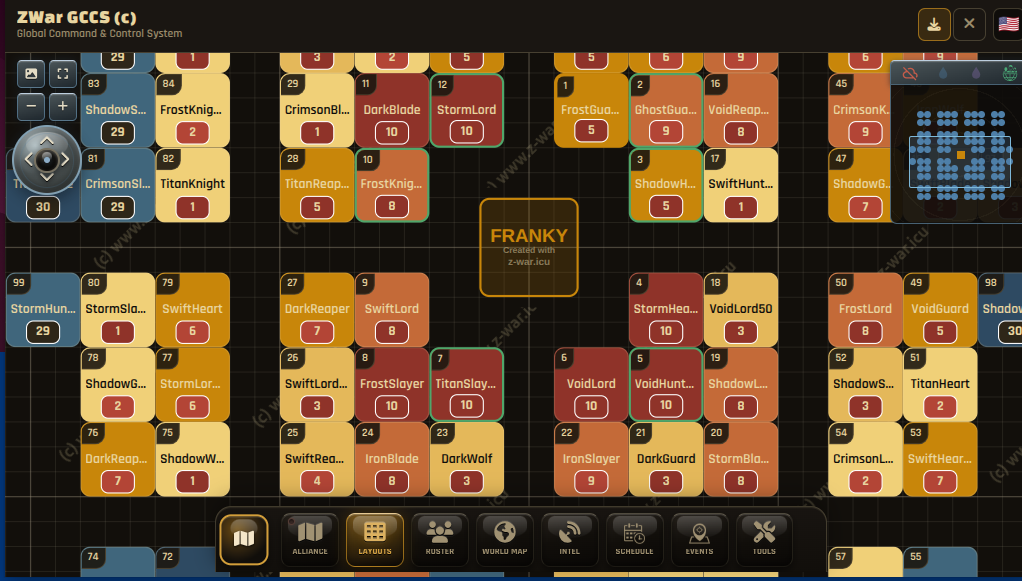
Just take note - getting players into specific locations can be hard work if they’re not used to lining up or “sliding” prior to porting. You also need to make members understand “Bookmarking” e.g., once in place, bookmark your spot so you can find it easily after events.
Why Boomer Spawns Make A Difference
The reasons to spawn boomers inside the hive and generally close to your own base are twofold. The first is speed, when you have to do upwards of 10 a session (remember those season 6 Shrine tasks - 40!), if you have to travel less, the faster you can complete the tasks. This can cut 90 seconds off each boomer, so for 40 that’s an hour saved! The second reason is Enemy Buster or the “kill event”. We all know that some hunters are ruthless, chasing points and will hit every boomer they can. Boomers inside the hive are more of a risk to hit; the longer the march to attack, the longer the attacker cannot port away, and is more likely to get jumped by the defenders.
There are several hive layouts included in the tool, these are the most common ones, some are easier to manage, the “Quadrant” styles offer the best Boomer spawn locations. You can add & share your own designs too.
Changing Hive Layouts
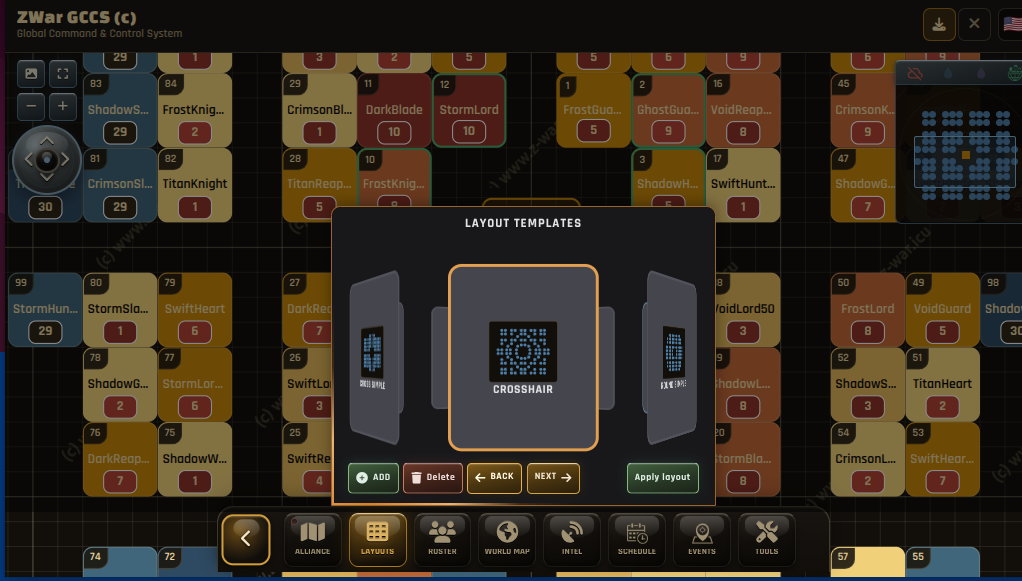
You can easily change layouts, load and save them without affecting your loaded roster of players. Simply tap layouts, scroll the carousel for your chosen layout, and tap/click. Done. If you make any change be sure to save them! Data is stored locally and only includes player info (so nothing sensitive). The cloud save options are end- to end encrypted for data safety in any case. Save your codes as you’ll need them later.
Have a play - this works on PCs and phones; there’s also a local installer option (add to home page) as this gives a better viewport on smaller devices.
Thanks to those that have tested and given feeback, special shoutout to LolaBunny #104 for the crosshair layout and constant bug reports. A big, big shoutout to Red #96 who orginally helped and implemented the very first Quadrant layouts. Also to Sparkles for implementing the “optimal” layout on Server #202. Thanks to the testers for their patience, feedback and support.
Next - World & Season Maps